Install Lively Wallpaper
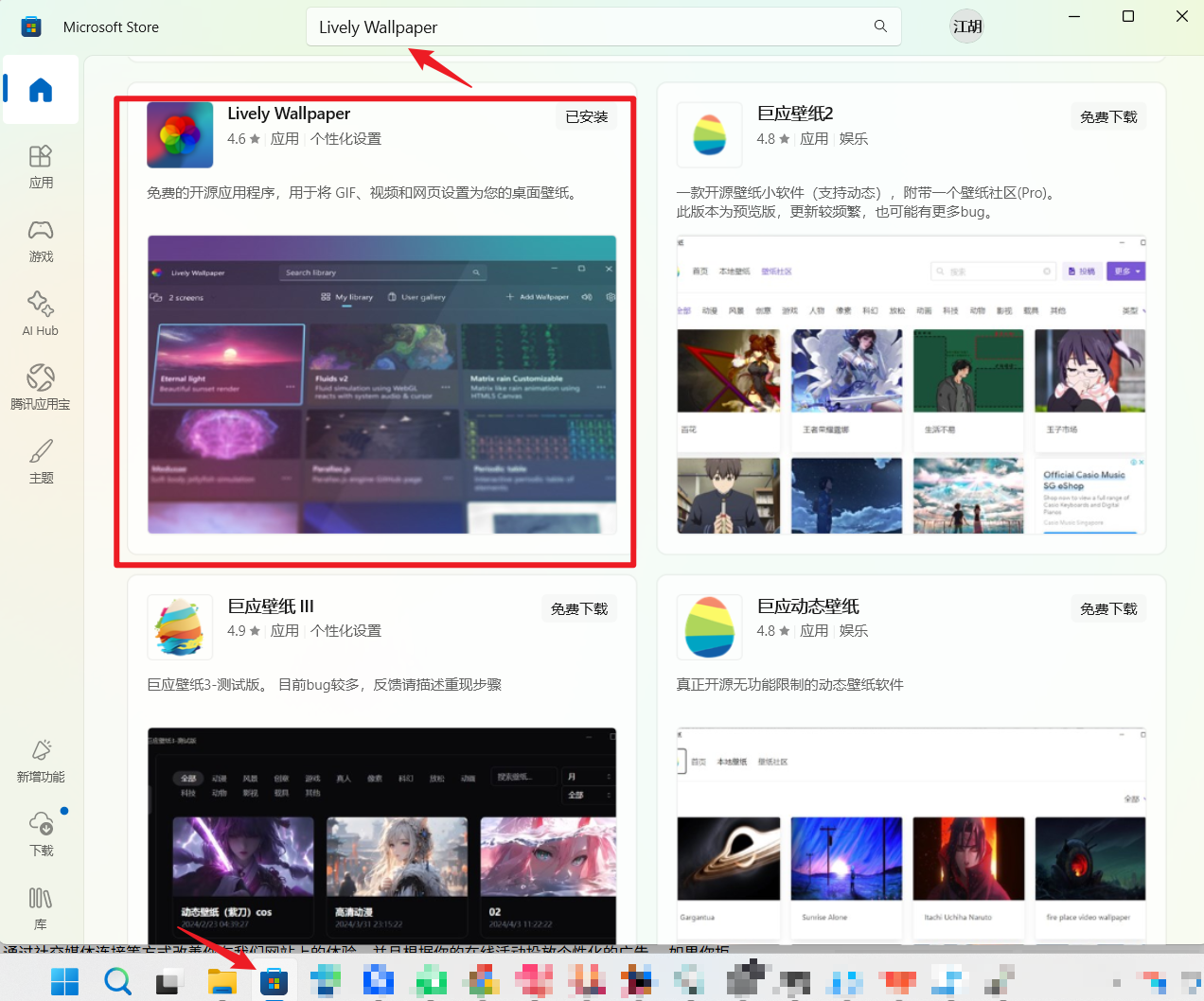
Search for “Lively Wallpaper” in the Microsoft Store and install the app. You can also get the Windows version from the Lively website.
WINDOWS · LIVELY WALLPAPER
Use the free Lively Wallpaper app to add Little Gravity as a web wallpaper.
Search for “Lively Wallpaper” in the Microsoft Store and install the app. You can also get the Windows version from the Lively website.
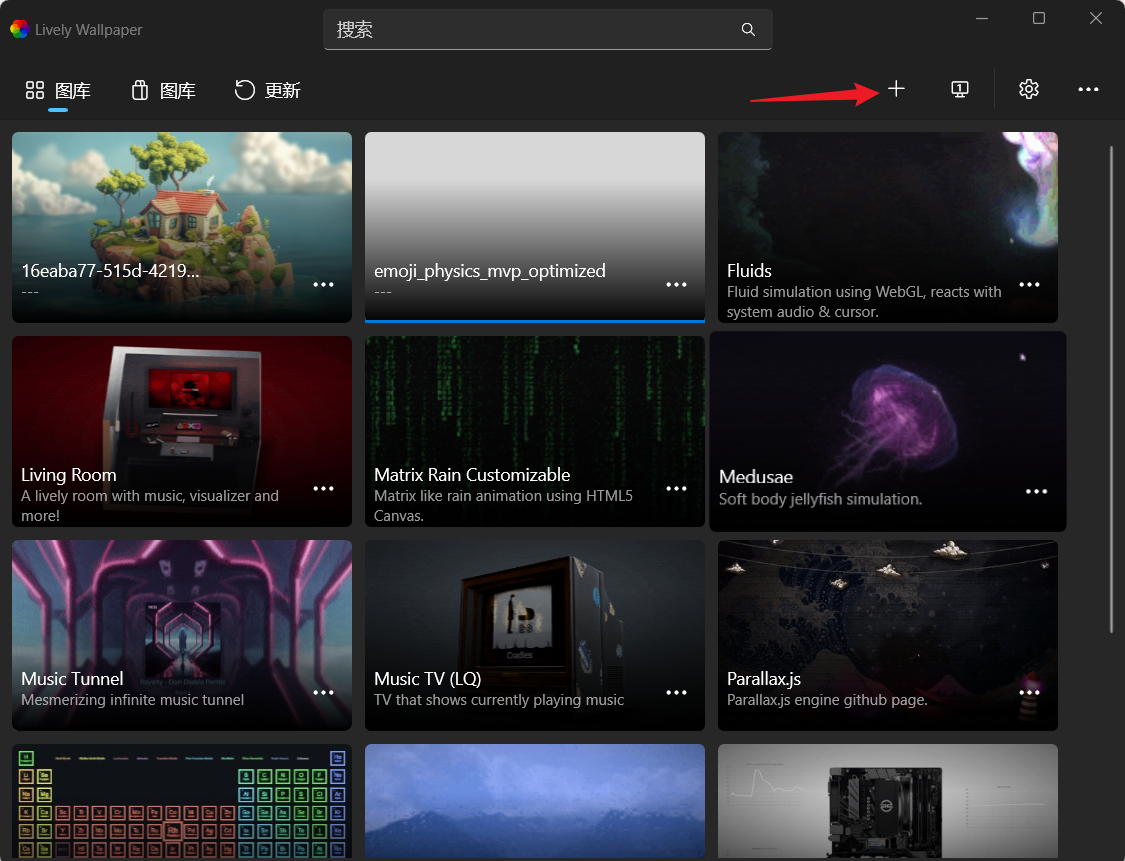
Open Lively Wallpaper and click the plus button in the top-right corner of the wallpaper library.
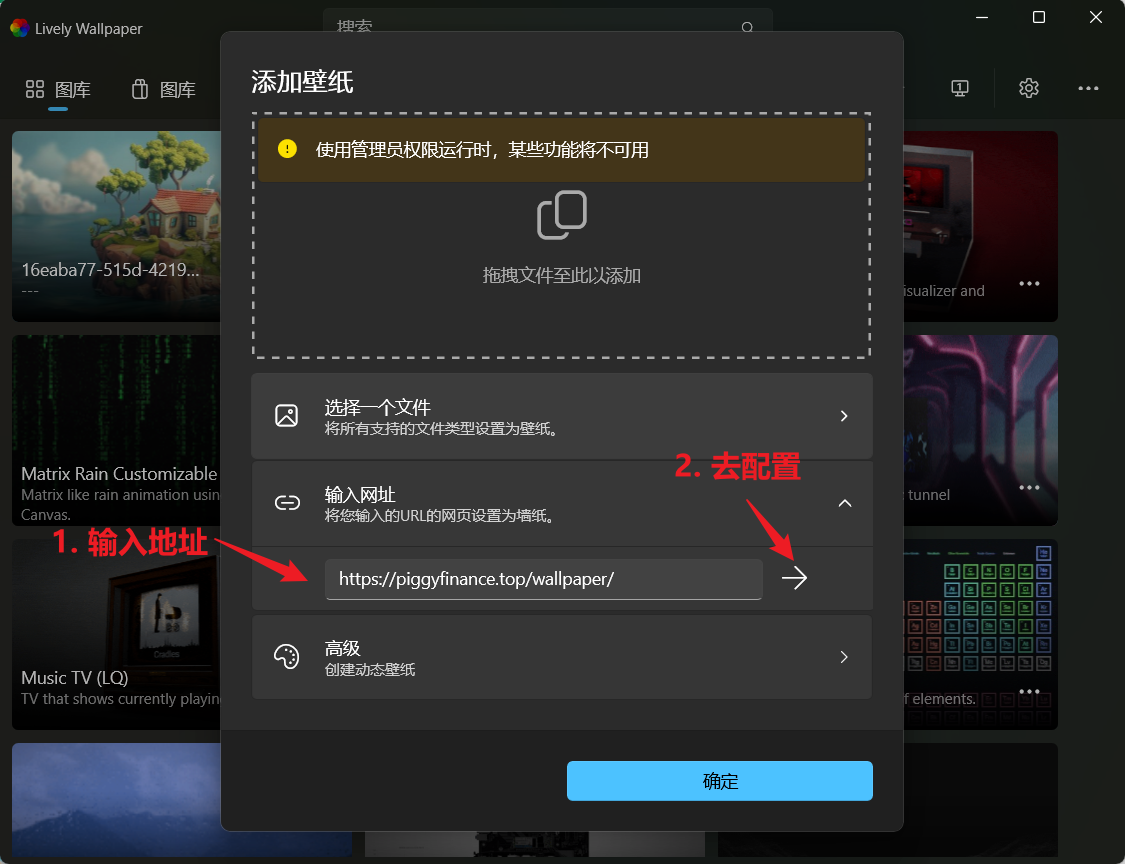
Choose the URL option, paste the address below, then confirm to add the wallpaper.
Try it: click empty space on your desktop to drop a character. Use the settings control to adjust gravity, bounce, and themes.